
Shop canned jobs library
- Pro
- Yes
- Elite
- Yes
- Ultra
- Yes
Labor, parts, and notes together in your shop’s library so the counter does not rebuild brake pads from scratch every time.
On Pro. Licensed labor data and service intervals are on Elite — we do not name a labor-data vendor on this site.
RO #1047 · 2018 Honda CR-V EX · Brake pads R&R → same ticket · Alex Rivera
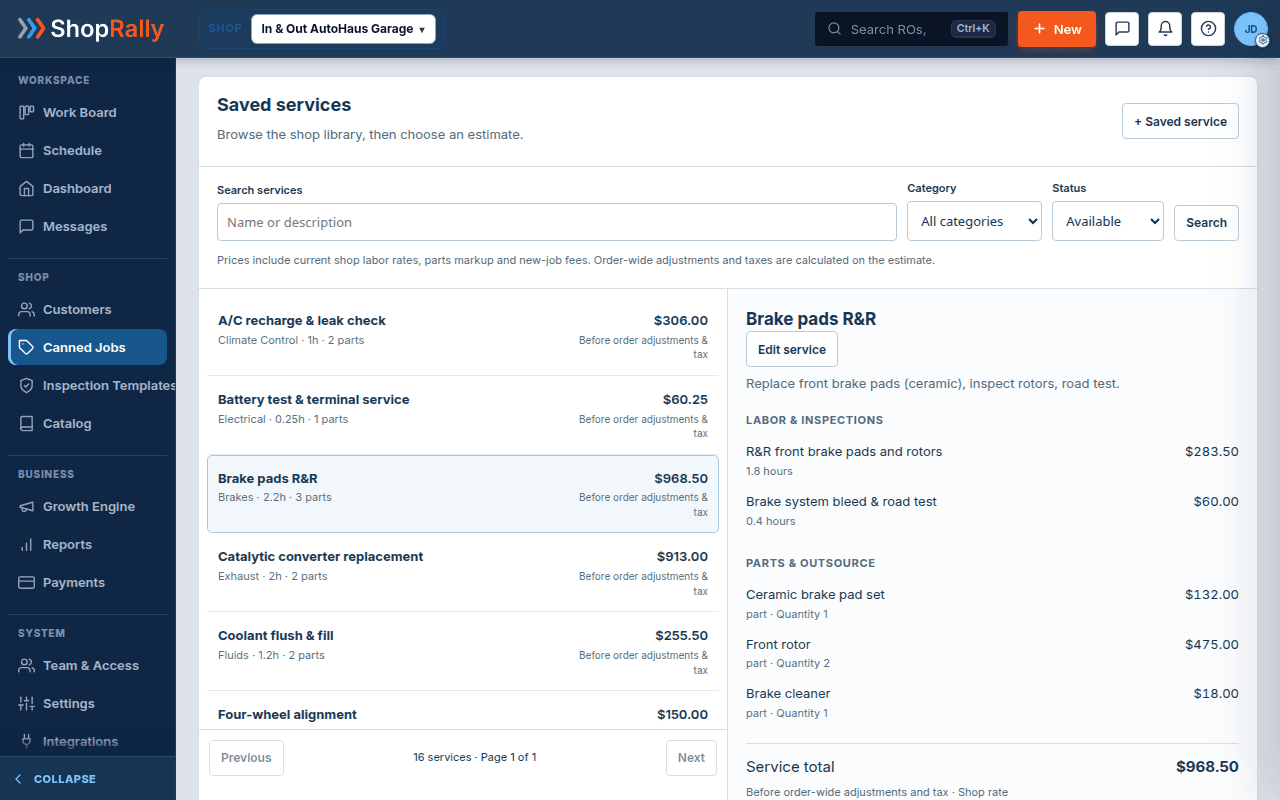
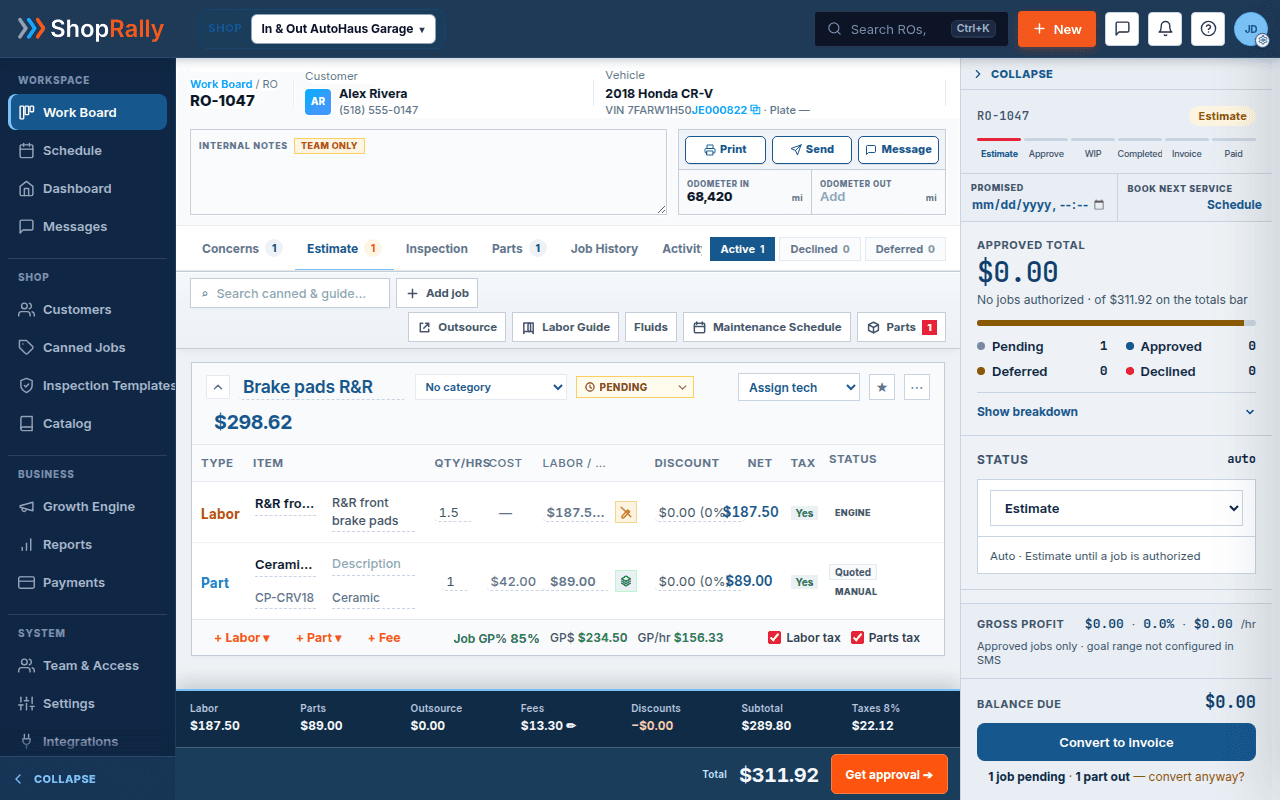
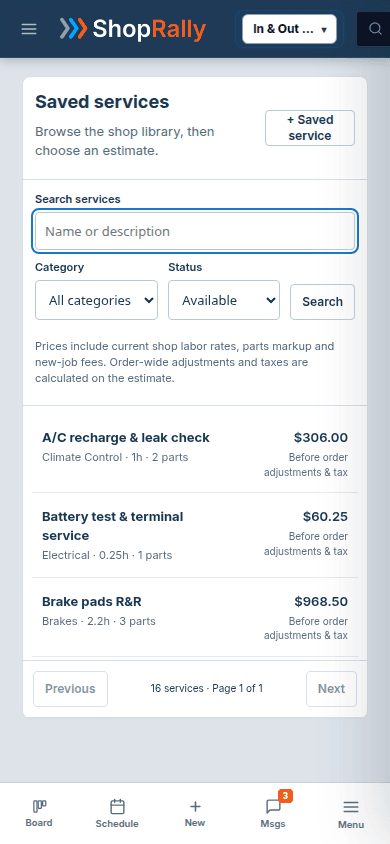
Continuity: Batch A RO #1047 / CR-V · estimates Share Estimate · PartsTech ceramic pads. Illustrative $ labeled story chrome.
Operate
Most independent shops already “have canned jobs.” They live in a binder, a Google Doc, or one advisor’s head. That unofficial library is why brake jobs come out with different hours depending on who wrote the ticket.
Save a job you already sell
Labor, parts, and notes — your shop’s work.
Drop it on the open RO
CR-V needs pads. Add the canned job. No retype.
Edit what is different
Swap a part. Keep the rest. One record.
1. Save a job you already sell. Capture labor hours, parts, and the notes your advisors repeat. That template is your shop’s work — not a third-party guide pasted in on Pro.
2. Drop it on the open RO. When the next CR-V needs pads, add the canned job to the estimate instead of retyping SKUs and hours. Lines land on the same repair order the bay will work.
3. Edit what is different this visit. Adjust a line, swap a part, keep the rest. The ticket stays one record — canned is a head start, not a second quoting tool.
We will not claim that inspection findings auto-build a canned job. You choose the template; findings stay on the inspection until you write the estimate.
Contrast
Every advisor rebuilds common jobs from scratch. Hours drift. Parts get mistyped. The “library” is a sticky note or a shared doc that is never quite right.
Pro keeps a shop canned library next to the estimate. Drop, edit, send for Pro approve when ready. Elite can add licensed labor data and intervals later — still without naming a labor-data vendor on this site.
Honest packaging
Pro does not pretend to be a licensed labor-data product. Your library is your work. When you want licensed labor data and intervals from a licensed source, that packaging sits on Elite, and we still will not put a vendor logo on this marketing page.
Why it matters
ShopRally’s canned jobs put the shop’s real sold work — labor, parts, and notes — next to the estimate so every advisor starts from the same template. The honesty is the point: founding shops get a usable library on day one without buying a myth.
Canned jobs also protect the RO story you already tell on Estimates and the job board. Dropping a template does not mint a second document. It writes lines onto the same repair order the customer will approve and the bay will open. That is why this page pairs with Estimates instead of competing with it.
If you have ever retyped ceramic pads and a 1.0 hour R&R for the third time before lunch, this page is the fix — not a BI feature, not an AI that invents jobs from photos, just a library that finally sits in the shop OS.
Founding shops get a usable library on day one without buying a myth. Pro approve still means text or email to approve with e-sign — not a two-way SMS inbox. Elite can add licensed labor data and intervals later. Ultra inherits Elite packaging; it does not invent jobs from photos while you sleep.
Honesty
We will not show a fake “AI suggested canned job from your inspection” module. We will not name a labor-data vendor. We will not imply Ultra auto-builds estimates from templates while you sleep. Canned jobs are deliberate: save what you sell, drop it when it fits, edit what is different.
A good canned library is boring on purpose. It makes Tuesday faster without pretending the shop bought a labor-data network. Save what you already sell, drop it when it fits, and keep Elite licensed labor data honest when you need them — unnamed on this page, packaged on Elite.
Works next to
Also: Inspections share the RO — they do not auto-map findings into templates here.
Packaging
Founding shops get Pro, Elite, or Ultra at launch. The shop canned library is already on Pro — Elite adds licensed labor data without naming a vendor here.
Launching Q4 2026 · no card · we'll invite you at launch
Built by a shop owner · Launching Q4 2026